Stop opening folders. Start reading the board.
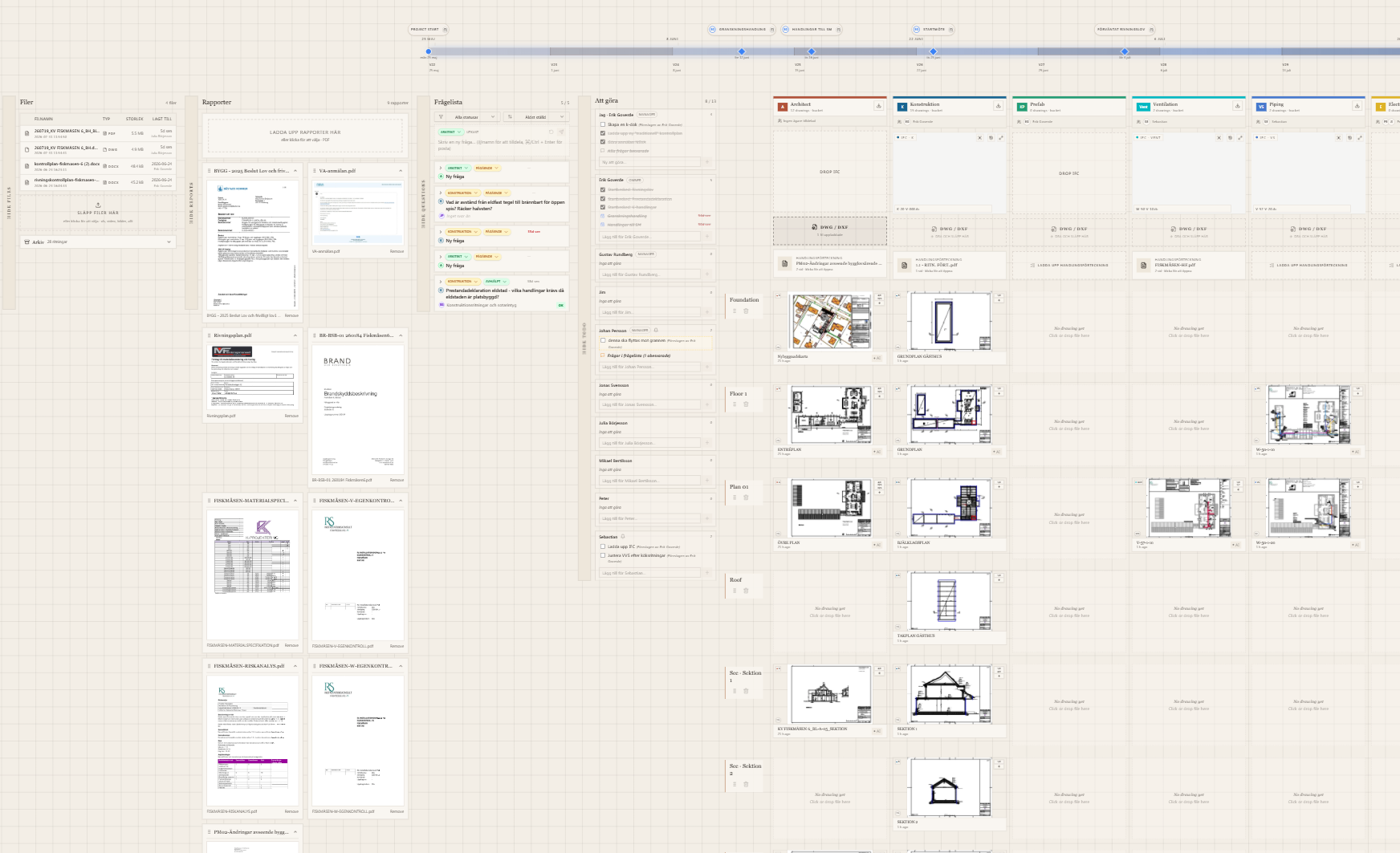
In construction we don't go to a file portal for files. We go there for drawings and documents. Canvas is the drawing-table you already know how to read — every discipline, every floor, every revision, in one glance.
File portals are the #1 source of frustration on every construction site.
They were designed by programmers for programmers — a heritage from the early computer age, when the answer to everything was a folder. We inherited a filesystem when what we needed was a drawing table.
- Hunting through ill-named folders before every meeting
- “Which revision is the latest?” — asked 14 times a day
- Wrong drawings reach site — costs measured in weeks
- Mobile experience: download, swear, give up
A drawing table. On screen.
Walk into any site office and look at the table: organised columns by discipline, rows by floor, the newest revision laid on top. Nobody opens a folder. They read the table. Canvas is exactly that, made digital — and made magical.
File Explorer
Canvas
Everything a project needs. Nothing it doesn't.
Updates that glow.
New revisions pulse softly on the board. Walk in monday morning and instantly see what changed over the weekend — across every discipline.
Drop anything. We sort it.
Bundles, ZIPs, single PDFs — Canvas reads each file and places it in the right discipline and floor. Reports go to Reports. IFC stays IFC.
See it. Assign it. Done.
Pin a task to any drawing. Pull it into your column. The board never lies — status is exactly where the work lives.
Realtime canvas.
Your colleagues' moves appear as they happen. No refresh, no merge conflicts.
Every version. Forever.
Latest on top. Click to stroll back through history. Nothing ever truly deleted.
10k drawings? No sweat.
The canvas degrades gracefully — overview at 5%, full crispness at 100%. Always smooth.
Site boot, kitchen table, design studio.
The canvas is built for fingers, mice and pencils. Pinch to zoom on the iPad in the container office. Drag with a trackpad in the studio. Glance on the phone from the train.
Welcome to the way it should've been all along.
Spin up your first board in under a minute. Drop in your drawings, watch them land on the table, and never open another folder.